
Login
Step 1: User logs into app.narrowgatex.com
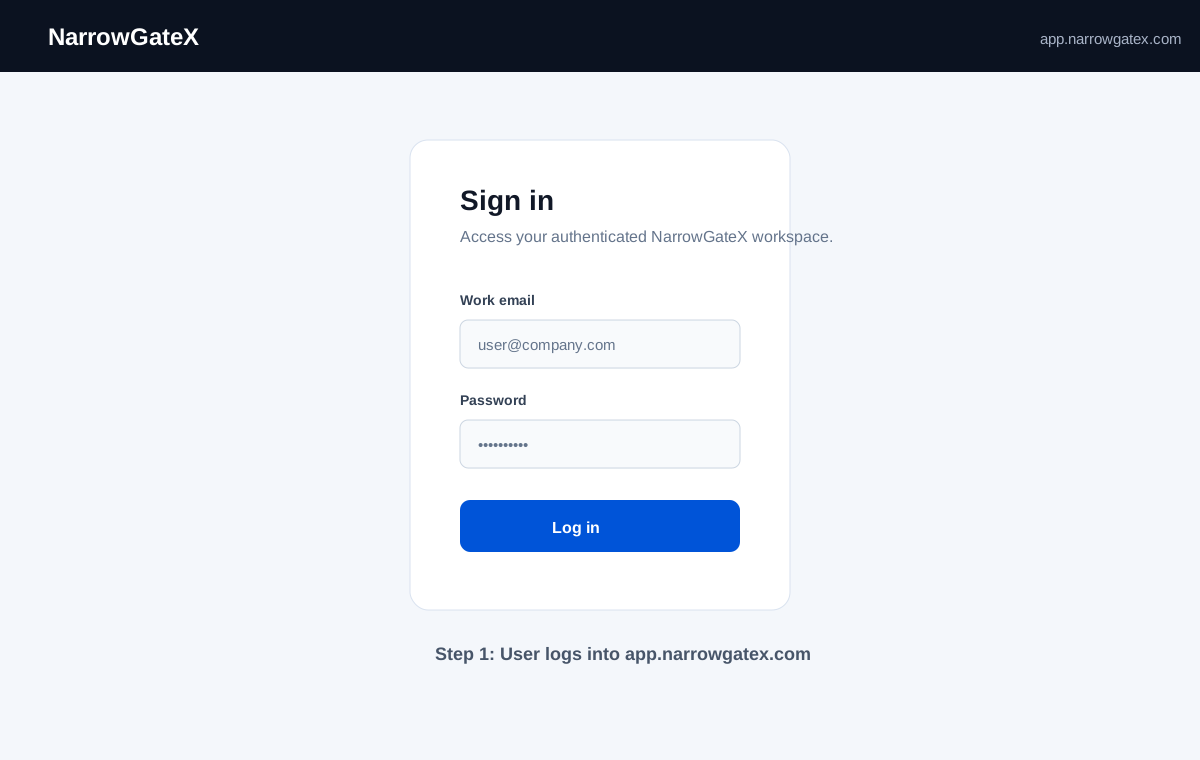
Screenshot: Authenticated NarrowGateX login session at app.narrowgatex.com.
These SMS Terms & Conditions govern the transactional SMS notification program operated by NarrowGateX. SMS opt-in occurs inside the authenticated NarrowGateX application at app.narrowgatex.com, not through the public website. This page documents the opt-in call-to-action and message flow for carrier A2P 10DLC verification.
NarrowGateX operates a transactional, non-marketing SMS notification program. These messages are sent to help you stay informed about activity, alerts, and updates within your NarrowGateX account. We do not send marketing or promotional SMS messages. All messages are directly related to your use of the NarrowGateX platform.
You may receive SMS notifications related to:
Message frequency varies based on user activity and system events.
You will only receive messages when relevant platform activity triggers a notification. Inactive accounts generate fewer messages. You remain in control of which notification types are enabled.
Message and data rates may apply.
Standard carrier messaging and data rates charged by your mobile provider may apply to SMS messages you receive. NarrowGateX does not charge a fee for SMS notifications.
NarrowGateX SMS notifications are enabled only inside the authenticated NarrowGateX platform. SMS notifications are disabled by default and require affirmative user action. Users must enter their mobile number, enable SMS notifications, review the consent disclosure shown at the point of opt-in, and save their settings before any SMS messages are sent.
To opt in, you must take the following steps within the NarrowGateX platform:
SMS opt-in is explicit and requires your affirmative action. You will not be enrolled without completing this process. The public website does not include a public SMS signup form.
SMS opt-in occurs inside the authenticated NarrowGateX application at app.narrowgatex.com, not through the public website. The placeholders below identify the screenshots used to prove the CTA and message flow; they can be replaced with production screenshots when available.
Screenshot: Authenticated NarrowGateX login session at app.narrowgatex.com.
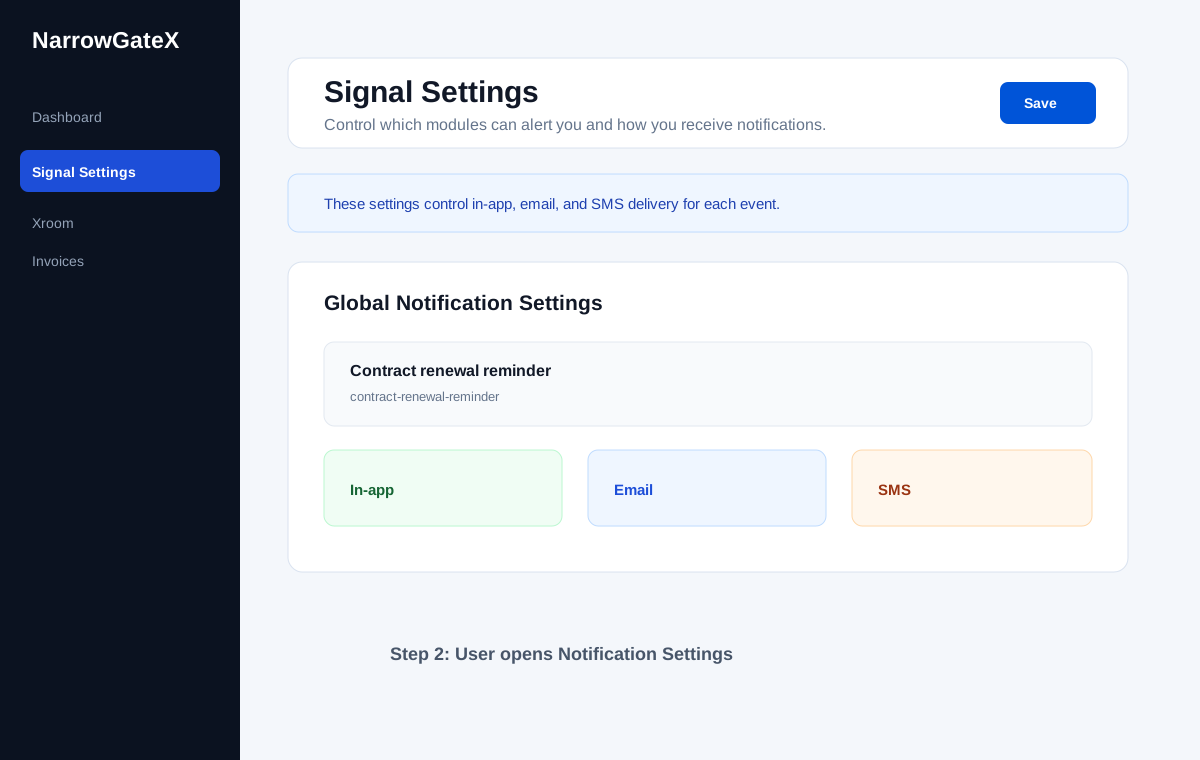
Screenshot: Notification Settings page inside the authenticated NarrowGateX platform.
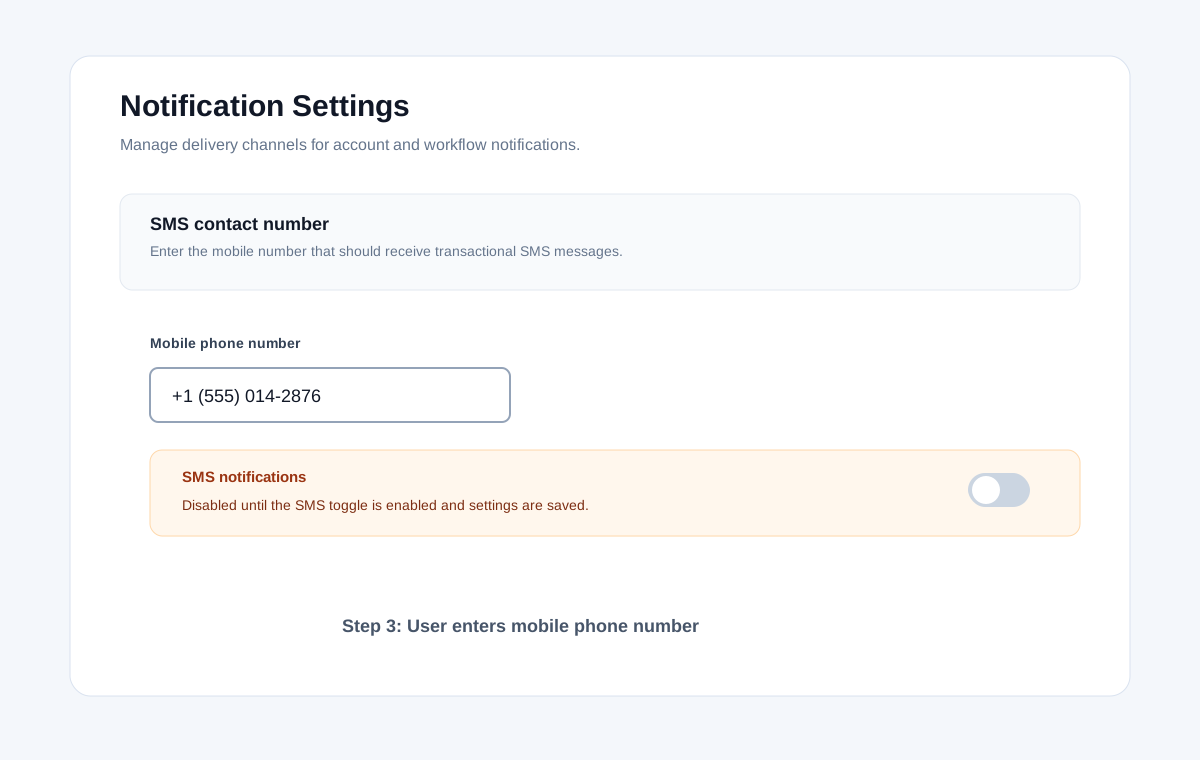
Screenshot: Notification Settings page showing SMS phone number field and SMS enable toggle.
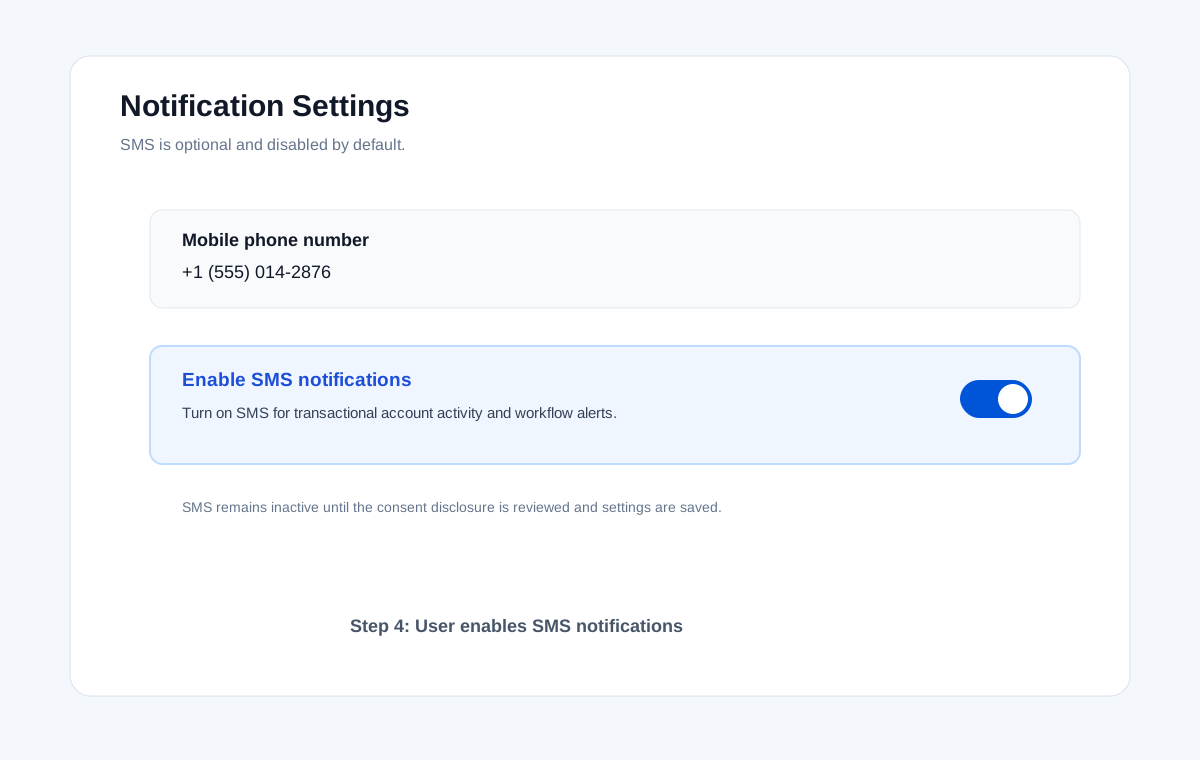
Screenshot: SMS notifications toggle switched on by the authenticated user.
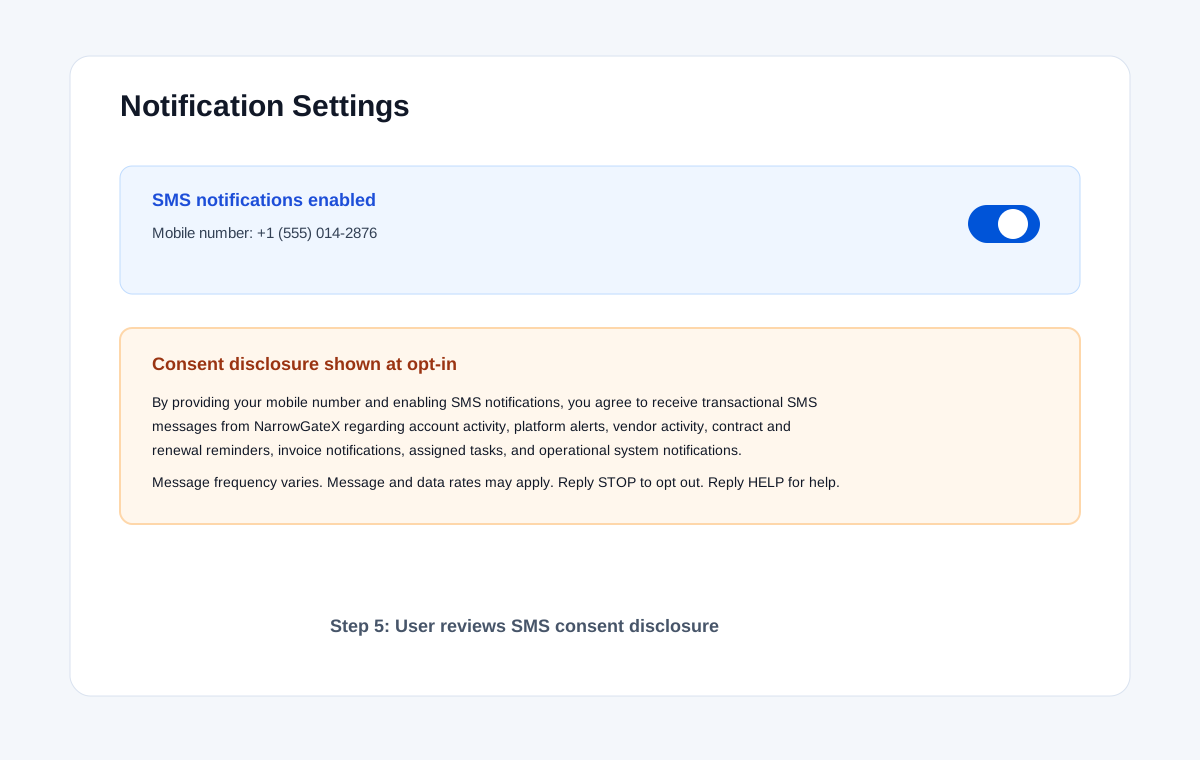
Screenshot: Consent disclosure displayed next to the SMS opt-in control.
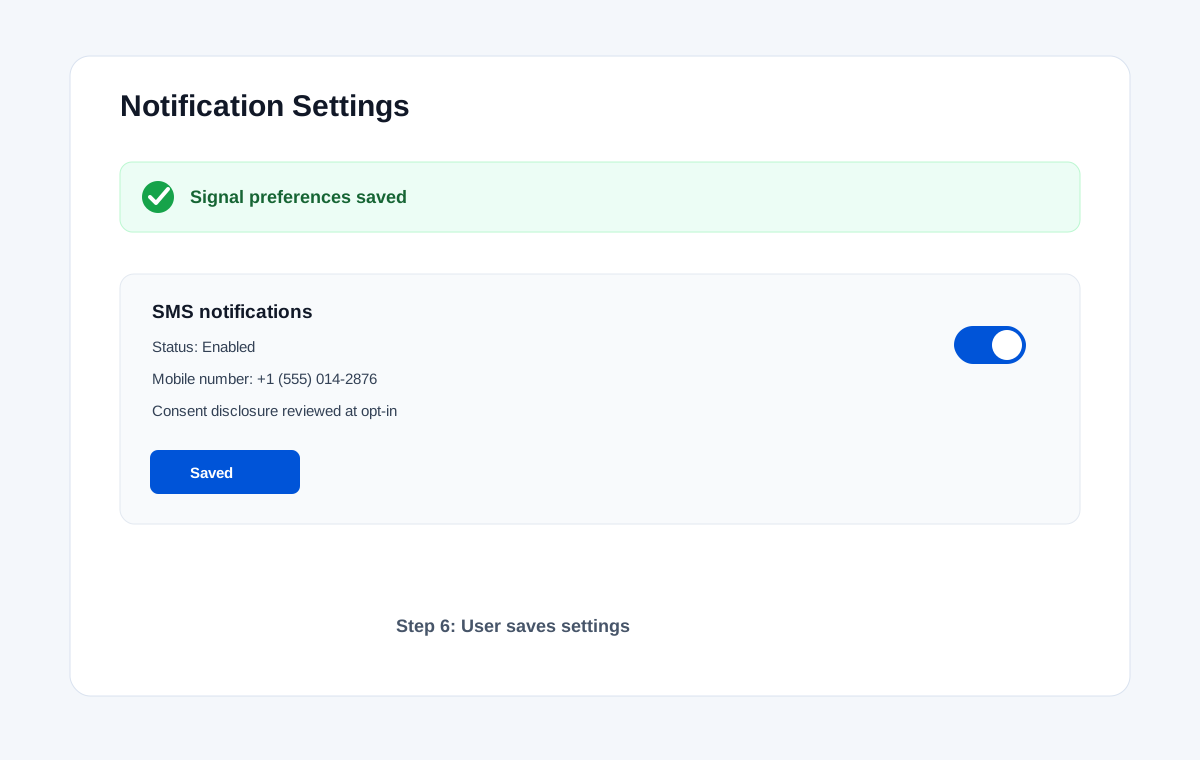
Screenshot: Saved settings confirming SMS notifications are enabled.
The following disclosure is shown to the authenticated user at the point of SMS opt-in:
"By providing your mobile number and enabling SMS notifications, you agree to receive transactional SMS messages from NarrowGateX regarding account activity, platform alerts, vendor activity, contract and renewal reminders, invoice notifications, assigned tasks, and operational system notifications. Message frequency varies. Message and data rates may apply. Reply STOP to opt out. Reply HELP for help."
You can stop receiving SMS messages at any time using either of these methods:
After opting out, your phone number will not be used to send SMS messages unless you re-enable notifications through the opt-in process described above.
Reply HELP for assistance. You will receive a response with support contact information.
For additional support, contact us directly at platform@narrowgatex.com.
NarrowGateX SMS notifications are available through all major U.S. wireless carriers. Carrier availability may vary. NarrowGateX and participating carriers are not liable for delayed or undelivered messages.
Your phone number and SMS opt-in consent are used solely to deliver the transactional notifications described in these terms. SMS consent is not shared with third parties or affiliates for marketing purposes.
For full details on how NarrowGateX collects, uses, and protects your information, see our Privacy Policy. This SMS Terms page is available at https://www.narrowgatex.com/sms-terms/.
We may update these SMS Terms & Conditions as needed to reflect changes in our program or carrier requirements. The "Last updated" date at the top of this page will reflect the most recent revision. Continued use of SMS notifications after changes are posted constitutes acceptance of the updated terms.
For questions about our SMS program or these terms:
NarrowGateX
Email: platform@narrowgatex.com